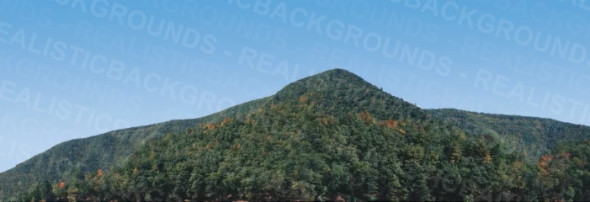


Description
A Passion for Realism
Since 1998, Realistic Backgrounds has helped model railroaders bring their layouts to life with high-quality photographic backdrops. Before then, hobbyists had to rely on hand painting (a rare skill) or settle for generic, low-quality commercial options. We set out to change that.
Each backdrop is a professionally composed photograph, printed on sturdy 38” (L) x 13” (H) 15 pt. coated, 1 side card stock. From city skylines to rural farmland, they're designed to blend naturally into your layout and make your railroad feel like part of a larger world without the hassle of wrinkles, tears, gluespots, or dealing with flimsy materials.
Please Note
- Color may vary between print batches.
How to Use/Install our Backgrounds
How I Apply Backgrounds to my HO Scale Layout
By Gregory Condio on 7/21/2025
Option 1: Simple Method

The most straight forward method is to remove the 13” x 38” backdrop from the plastic wrap and lay it face down.
Then, I like to apply adhesive spray mount directly to the back of the scene.
Once sprayed evenly, I simply mount it directly to my backer board which can be Masonite, a 3/4" sanded plywood, or even drywall.
Option 2: Advanced/Layering Method

To really make your background unique, you can layer in multiple backgrounds to combine different elements together.
For example, in the scene to the right, you will notice that I have combined three backgrounds into one scene (two different mountain scenes and part of the Rural Farm background).
By layering, you can mix and match elements to better align with your foreground elements.
To begin this method, I start by prepping a 4’ x 8’ sheet of Masonite, ¾" sanded plywood, or drywall to use as the backer board. I paint it with light blue latex paint, and once it’s dry, I use a cloud stencil to add clouds using classic white spray paint. This creates the sky that serves as the foundation for the backgrounds.
Next, I lay out my background on a cutting surface. For this example, I am using 704-02 City [B].
I then begin to cut away the sky from the buildings using a No. 11 X-ACTO blade.
Make sure to cut all the way around the scene to remove the blue sky. If you are not comfortable with a blade, you can use scissors. I like to use a straight edge for perfect straight cuts.
In the image below, you can see that I successfully cut out a chunk of buildings from the scene.
To remove the white paper edge and give your background a shadow effect, I like to outline all of the cut lines using a black magnum marker.
With the background element now prepped, I apply the adhesive spray mount to the back of the cut out and then apply it to the backer board we prepped in the first step.
Now that I have one cutout completed, I just repeat those steps for the other elements I want to layer into my background. In the image below, you can see my finished city scene on my HO scale B&O layout, using buildings cutout from two different backgrounds.
Details
Store Location: |
P# 228 / Aisle 13B |
Scale: |
Multi Scale |